
How to Send/Receive Email with Outlook for Windows (Outlook New)
This page explains the steps to send/receive email for Outlook for Windows (ver. 1.2025.1209.500).
To use Outlook for Windows, please apply for the IMAP Function.
IMAP Function: Service Page
How to receive
Receive
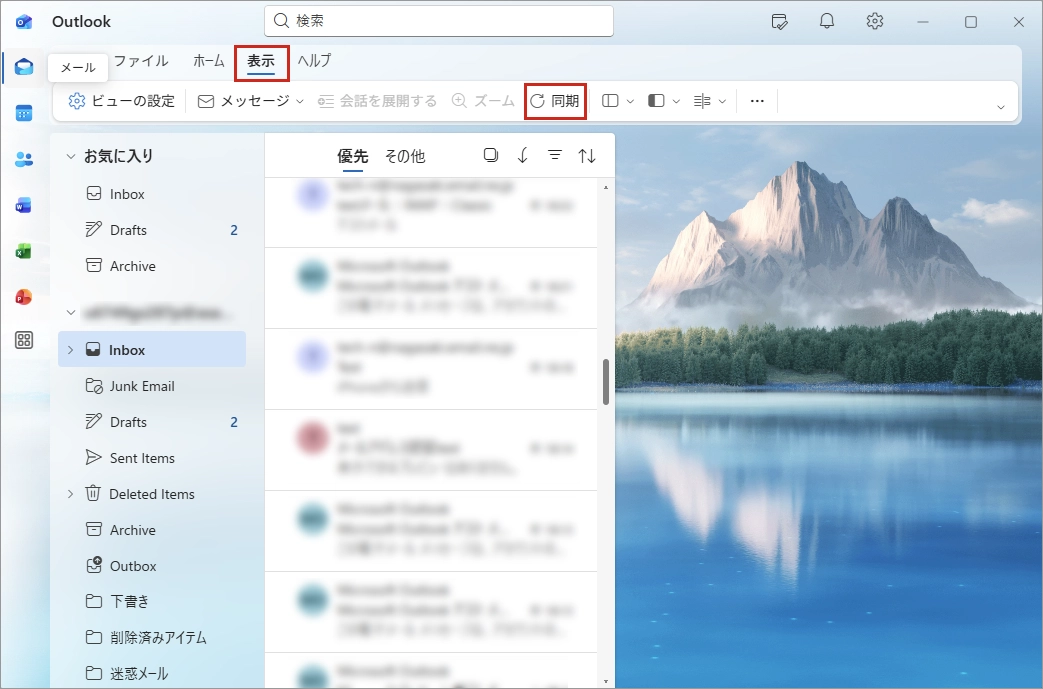
Click 表示 (= View) on the tab and Click 同期 (= Sync).
How to send
New mail
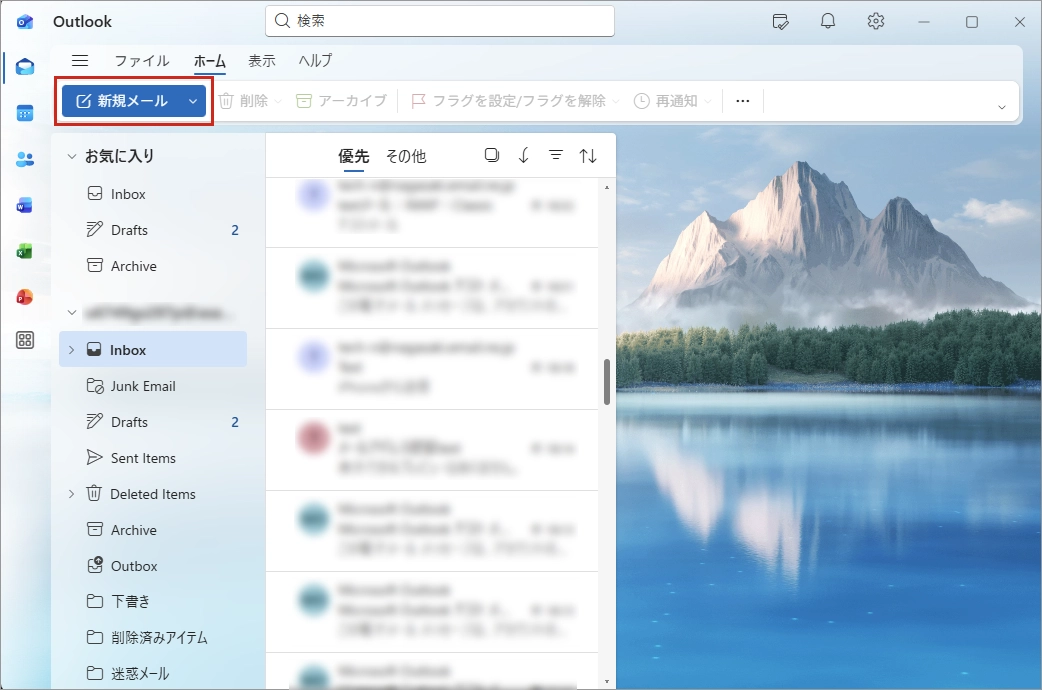
On the ホーム (= Home) tab, click 新規メール (= New mail).
Send
A window for creating a new email message will appear. After entering the address, subject and the main body, click 送信 (= Send).
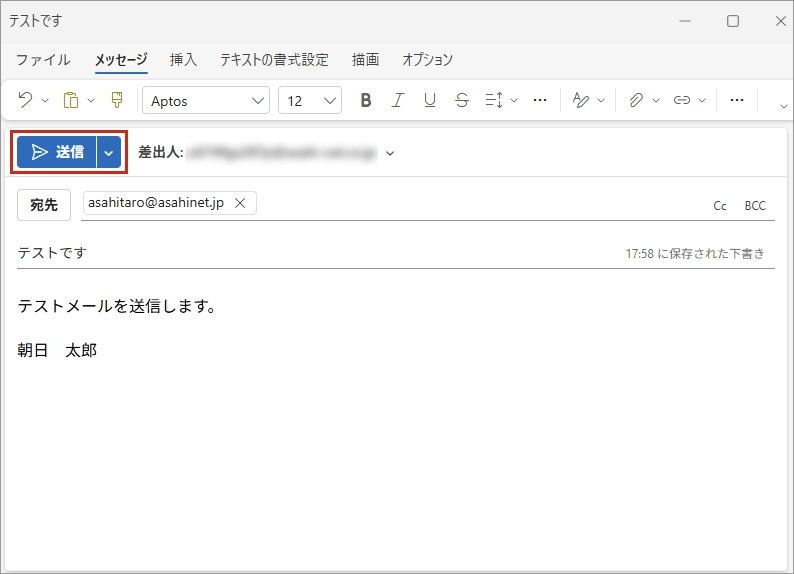
If you are sending a test mail, enter your email address in the address field and send it to yourself.
If you successfully receive the test mail, your setup is complete.