
How to Send/Receive Email with Thunderbird ver.141
This page explains the steps to send and receive email with Thunderbird 141.0 for Windows.
How to receive
Receive
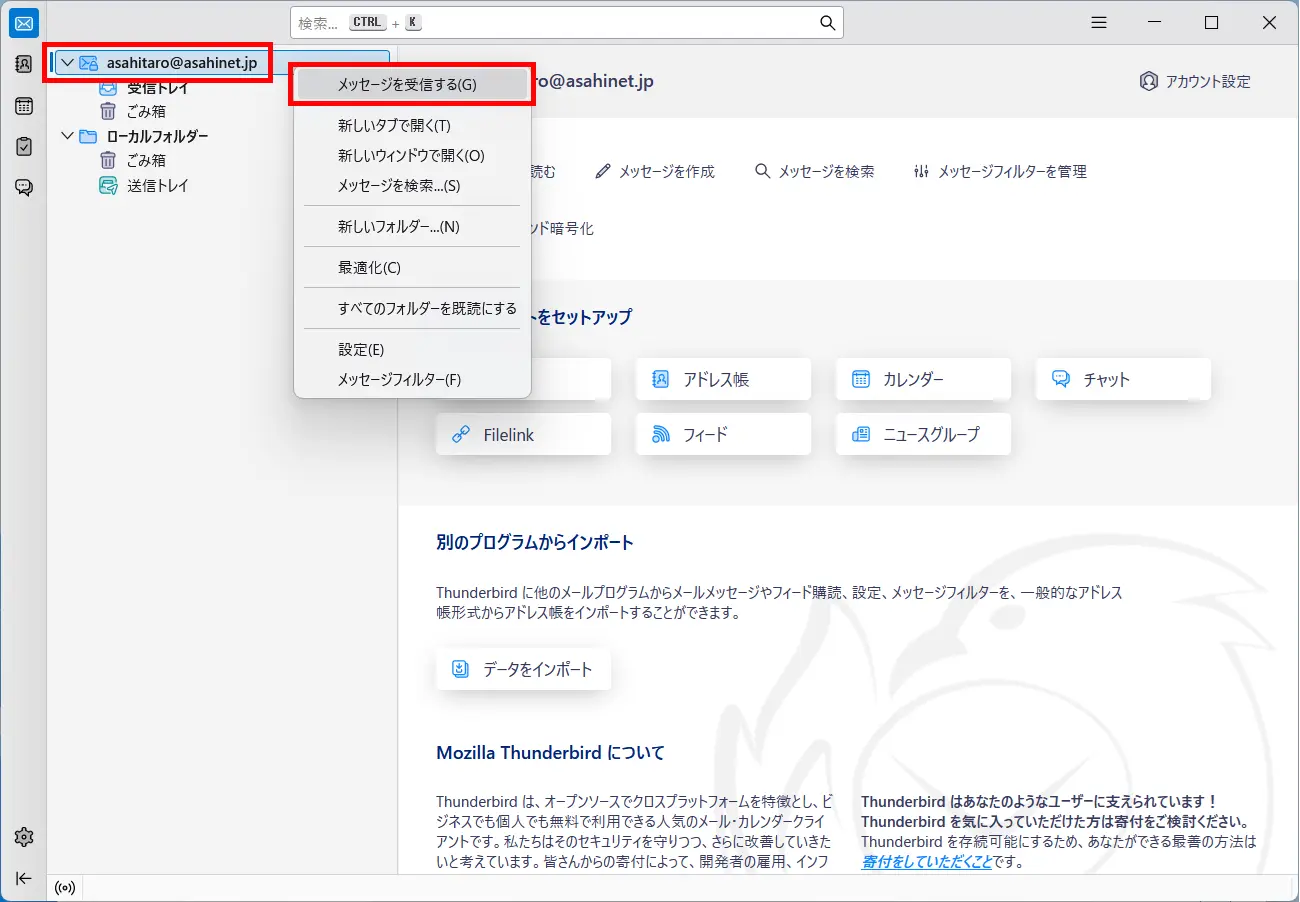
Choose the email address in the upper left-hand side, make a right click and choose メッセージを受信する (= Get Messages).
How to send
New Message
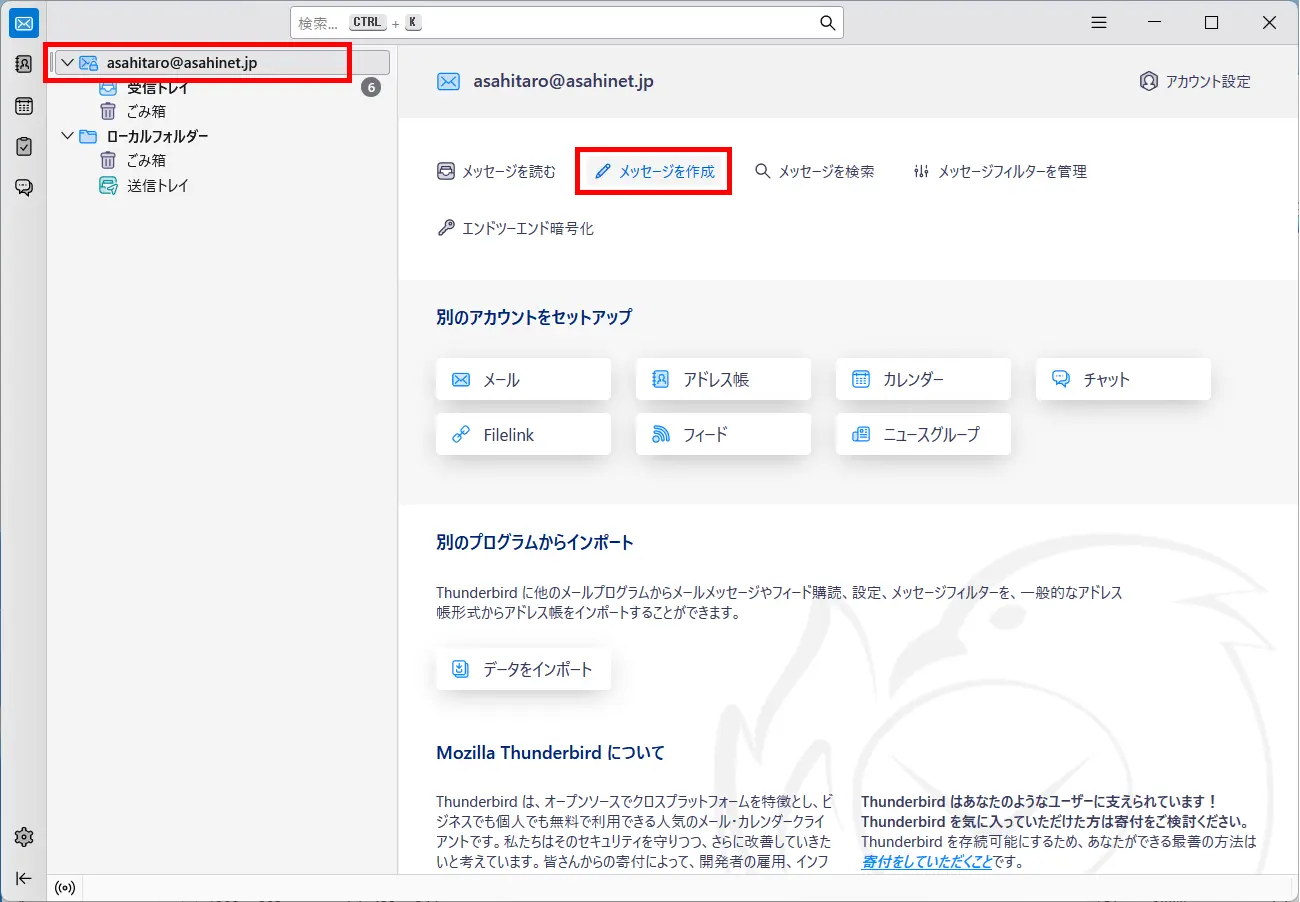
Choose the email address in the upper left-hand side, and click メッセージを作成 (= Write a new message).
Send
A window for creating a new email message will appear. After entering the address, subject a送信 (= Send)nd the main body, click.
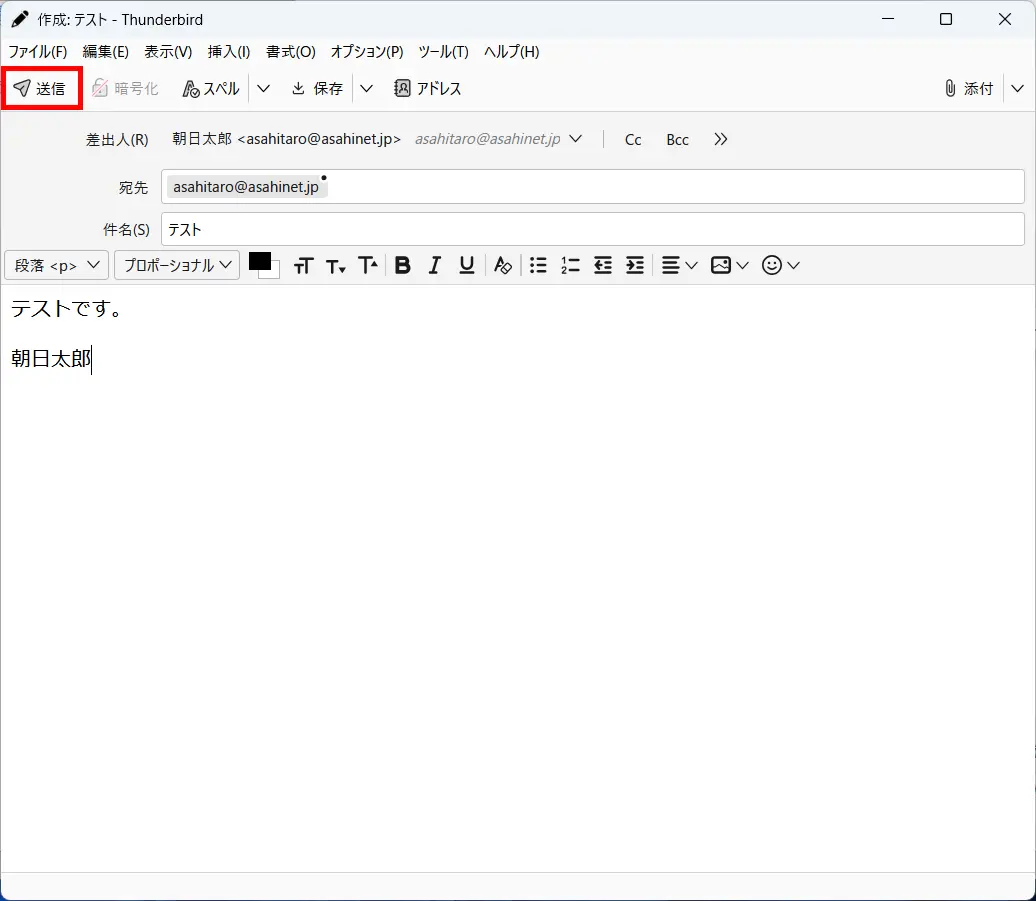
If you are sending a test mail, enter your email address in the address field and send it to yourself.
If you successfully receive the test mail, your setup is done.